














AI photo booth: how it works and what to check before renting
Not long ago, a person with a camera took photos at events. Today, part of that work is handled by an AI photo booth. These systems find faces on their own, balance the light, and pick a good shot, so guests don't have to wait for a photographer.
But photos also have a legal side. A photo of a recognizable guest is personal data, so the organizer needs a legal basis for processing it, most often the person's consent.
Below we'll look at how such a photo booth works, which features to compare, and what to agree on with the rental provider before the event.
What an AI photo booth is
💡 In short:
- An AI photo booth combines a camera and a computer with machine vision models.
- It finds faces on its own, changes the background, and prepares the shot for printing.
- Rental terms and venue requirements: 10/2026, according to Membox.
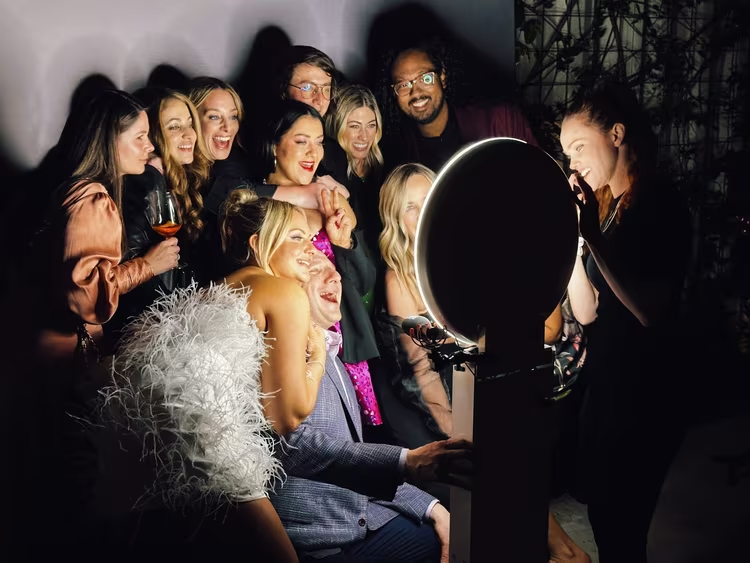
An AI photo booth is a self-contained photo kiosk that takes pictures of guests and processes the shot right away. Inside there is a camera, a compact computer, and face recognition software. The guest picks a style on the screen, and the system turns the portrait into a themed image. The finished photo can be printed on the spot or picked up via a link and QR code.
The difference from a regular photo booth is automation. A classic model only shoots when a button is pressed. The AI version evaluates the scene in real time, so your guest simply steps into the frame and doesn't think about settings.
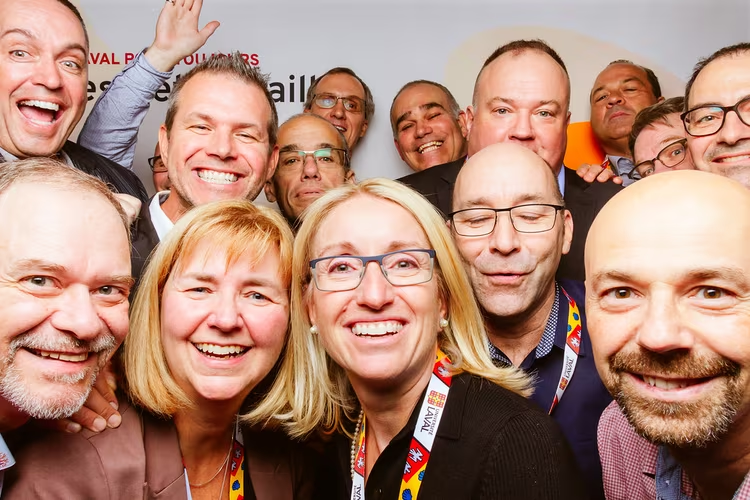
How an AI photo booth works at an event
The system handles shooting and processing on its own, following a scenario you set up in advance. The process usually goes step by step.
- Face recognition. The automation finds faces and tracks their position in the frame.
- Moment selection. The algorithm evaluates facial expressions and triggers when the guest smiles.
- Background replacement. The desired design is applied without a green screen.
- Auto retouching. The shot gets smooth skin, even light, and contrast.
Models in this class run on a compact computer right at the venue. Platforms like NVIDIA Jetson are designed for real-time image processing without a constant cloud connection (as of 10/2026). For face and pose recognition, open computer vision libraries are often used, such as MediaPipe or TensorFlow.
Local processing matters not only for speed. The fewer frames that go to third-party servers, the easier it is for you to explain to guests where their photos end up.
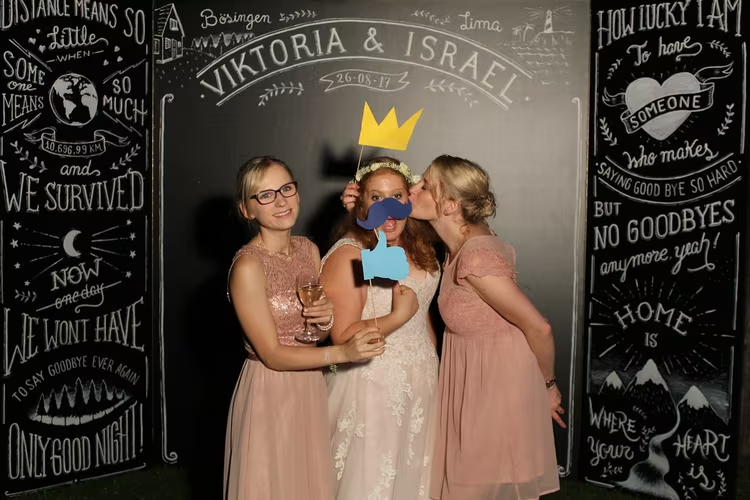
Photo booth rental: what Membox offers
An AI photo booth for events is offered by the service membox.de. The company builds these booths on its own software and its own server, and they can run fully offline (according to the service, verified 10/2026). Setup takes about 1.5 hours, and the venue needs at least 2×2 meters and a 220 V outlet with up to 1 kW of power (as of 10/2026, according to the service).
Rental is billed by shooting time, not by the number of photos, so there are no limits on the number of shots. Group portraits are usually set up as a separate module: they need a different frame configuration and a suitable area. The booth at an event is usually accompanied by a service staff member who explains the process to guests and helps with posing.
Before ordering, check whether the frame design is included in the price and who is responsible for the equipment at the venue. If you need branding, ask for examples of finished work from past events. That way you'll see the actual style, not just a mockup.
Where an AI photo booth is used
The list of use cases is broader than it seems. Booths are usually booked for weddings, corporate events, presentations, and city festivals.
Event | What matters |
|---|---|
Wedding | Print quality, soft retouching, themed backgrounds |
Corporate event | Local data, logo and frames in brand style |
New Year's party | Light effects and group shots |
Conference or booth | Mobility and handling a steady flow of guests |
House party | Compact mobile version |
If you're planning a corporate event, decide in advance whether photos with the company logo will be posted on social media. For a wedding, speed matters more: guests like getting a shot right after it's taken.
What to compare when choosing a system
Manufacturers claim similar features, so look at the details. Compare not advertising promises, but how the booth behaves at a real event.
Criterion | What to look at | Why it matters |
|---|---|---|
Face recognition | Stability in low light | In a crowd, the shot can lose focus |
Background replacement | Works without a green screen | Saves space at the venue |
Retouching | Adjustable, not fixed | Guests have different skin tones |
Printing | Output speed and consumables | There shouldn't be a line at the printer |
Offline mode | Works without internet | Connectivity at venues often drops |
Data | Local processing on the server | Reduces GDPR risks |
Ask the service for recordings from past events. That way you'll see how the system behaves with candles, colored light, and group shots. Ask what happens during a power outage: some models have a buffer, some don't.
Guest data: what matters legally
A photo of a recognizable guest is personal data, so a legal basis is required. Most often this is consent: the person must understand that they are being photographed and where the images will be used (according to WKO, as of 10/2026).
For private events, local processing matters most. If the booth processes shots on its own server and runs without the cloud, data doesn't go to third-party platforms. Check how long files are stored and how they are deleted after the event. If you publish photos on social media, add a clear notice at the entrance. This is a simple measure that resolves most guest questions.
⁉️🤔 Frequently asked questions
How is an AI photo booth different from a regular one?
A regular model shoots when a button is pressed and barely analyzes the frame. The AI version evaluates the scene in real time, finds faces, balances the light, and triggers at the right moment. The guest gets a finished shot without manual edits and without waiting.
Does a guest need to understand the technology?
No. Usually the screen has several ready-made themes, and a staff member explains the process. Even people with no experience using such equipment manage within a couple of minutes. The interface is designed for an ordinary guest, not a specialist.
What happens to the photos after the event?
It depends on the service. If processing runs on a local server, the files stay with you and don't go to someone else's cloud. Check in advance how long they are stored and how the data is deleted. It's better to get the answer to this question in writing.
Can you get the photo right away?
Yes. The shot can be printed on the spot or sent to the guest via QR code, link, or email. Printing takes minutes, so the line at the printer is usually short. Some systems support both methods at the same time.
Does a photo booth replace a photographer?
No, it complements one. A photographer handles staged and reportage shots, while the booth works with guests and creates informal photos. Many clients use both formats together because their tasks are different.
How long does setup take?
Setup, according to Membox, takes about an hour and a half, so the service arrives in advance. The venue needs space and power, and if photos are sent digitally, stable coverage as well. Check the exact requirements with the provider for your specific location.
In short: how to choose an AI photo booth
For a wedding, look for print quality and soft retouching; for a corporate event, make local data processing and branding the priority; for an exhibition booth, mobility matters more. Check venue and power requirements before paying, and put photo storage terms in the contract. Agree on the shooting scenario in advance so you don't lose time on site.

A small editorial team writing guides for independent travel. We travel ourselves, but we haven’t been everywhere, so we check prices, opening hours and how to get there against official sources.