
















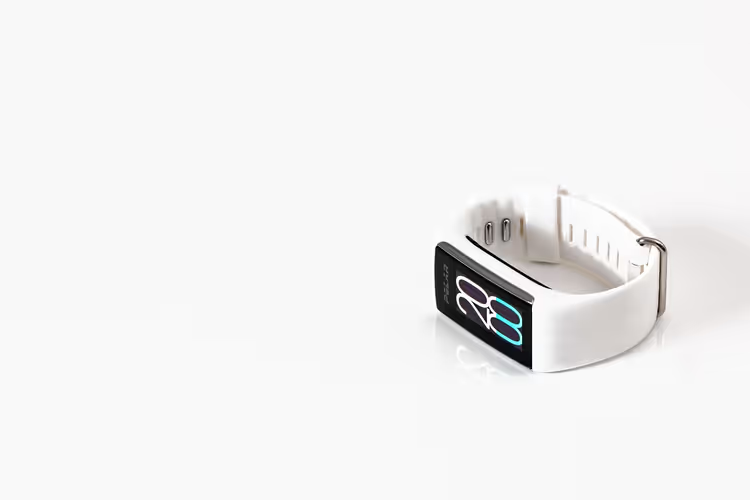
GPS tracker on a trip: what it can do and where it won't help
A Bluetooth tag does not locate you by satellite. Its position is determined by someone else's smartphone within a few dozen meters. This is important to know if you are counting on the device in remote areas.
Solo trips have long stopped being exotic, and with them the demand for peace of mind has grown. A tag in a suitcase or an SOS button on a wristband gives your loved ones a point on the map when you are far from home. But every device has its limits, and it is better to learn about them before you leave, not on the road.
Below we break down how GPS trackers and Find My tags work, what types exist, what you need to set up, and where a gadget will not replace caution.
Ad: this article contains affiliate links, through them we earn a commission, at no extra cost to you.
How a GPS tracker actually works
💡 In short:
- Position comes either from satellites or from other people's smartphones nearby, and this determines where the device works at all.
- Before a trip, check the battery, coverage area, and emergency contact list.
- Tracker capabilities and limitations: 09/2026, verified on the Apple website.
A classic GPS tracker receives satellite signals, calculates coordinates based on signal delay, and sends them over a mobile network. Accuracy is higher in open air than in dense urban areas. Walls and tall buildings noticeably degrade reception.
Bluetooth tags work differently. An AirTag broadcasts an encrypted signal, which nearby Apple devices pick up and relay to the cloud (official website). No satellite is involved here. If there are no other people's phones nearby, the tag stays silent.
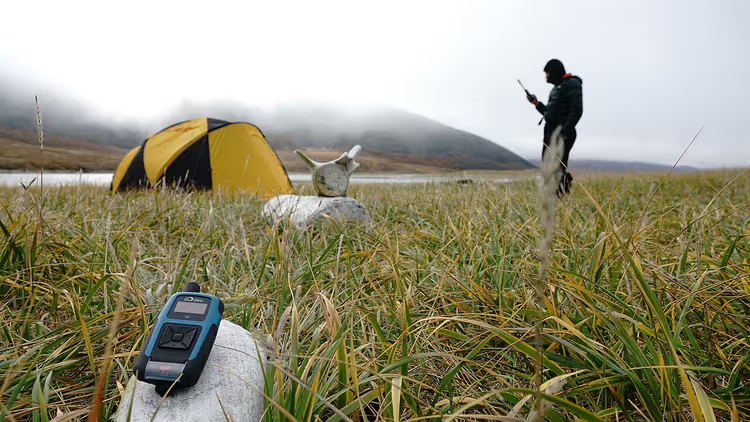 © Rock Seven Mobile Services Ltd. · CC BY-SAPhoto: Rock Seven Mobile Services Ltd., CC BY-SA (https://creativecommons.org/licenses/by-sa/4.0), Wikimedia Commons
There is also a third option: satellite messengers and dedicated SOS buttons. They send a signal directly through a satellite network and work where there is no cellular coverage. These are the ones that save you in the mountains and on the water.
Geofences and an emergency button are available on trackers with a SIM and satellite messengers. Bluetooth tags like AirTag do not have these features. You set boundaries on the map, and when you cross them, your contacts get a notification. Pressing SOS sends your coordinates to loved ones or rescuers.
Many models have location history. You see not only the current point but the entire route for the day. This is handy when you need to figure out where you were in the morning.
Three types of devices and who they suit
Type | How it determines position | Requires a plan | Where it works |
|---|---|---|---|
Bluetooth tag (Apple AirTag) | signals from other people's smartphones nearby | no | where there are people and Apple devices |
GPS tracker with SIM | satellites and mobile network | yes, a SIM card | within the carrier's coverage area |
Satellite messenger (Garmin inReach, SOS in newer iPhones) | directly via satellite | yes, a subscription | almost anywhere in the world, including remote areas |
A tag is the cheapest option and requires no monthly fee. The AirTag battery lasts over a year and is easy to replace (Apple data). The catch is different: the tag's coordinates come from strangers, not from the sky. In sparsely populated areas, this is critical.
A GPS tracker with a SIM is more accurate and more self-sufficient in remote areas. But it needs a plan and is tied to a cellular network. Outside the city, coverage breaks up, and the device stores the track, then sends it once the connection returns.
A satellite messenger is needed where other devices no longer work. The signal goes through a satellite, so you have connectivity even without cell towers. You pay for this with a subscription and the price of the device itself. But the message will get through from a place where a phone is useless.
What to set up before the trip
First, check exactly where your tracker works. Look at the carrier's coverage map along your route and make sure the plan supports data transfer. Without internet, coordinates will not reach your loved ones.
Next, configure the device itself. Turn it on, add trusted people, check geofences and the SOS button. It is better to go through all the settings at home, not at the airport before boarding.
Find out which networks the device works on in your destination country. Some models transmit data only on their home network, and abroad the track does not go through. Check this before buying.
Separately, sort out connectivity abroad if the tracker works through your phone. A regular SIM requires replacement, while a virtual SIM card connects in a couple of minutes and does not take up a slot. For multi-country trips, this is more convenient.
Geofences, SOS, and location sharing
Tell your loved ones how to use your tracker. They need to understand where to see your position and what to do in an emergency. Without this, the SOS button loses its meaning.
Set geofences for your route: hotel, city, district boundaries. You will get a notification when you leave the usual zone. This way your loved ones can see that you are fine without extra calls.
Set up a notification for prolonged inactivity. If the point does not change for several hours, your loved ones will understand that you need help. Check everything in advance.
Check how the emergency button works. Find out where the signal goes: to the contacts' app, to a rescue service, or to both places at once. This depends on the model and the destination country.
Pre-departure check: checklist
- Activate the tracker and make sure it is transmitting position.
- Update the firmware and app to the latest version.
- Tell trusted people about the tracker and its capabilities.
- Test the device in different conditions: outdoors, indoors, in transit.
- Bring a backup power source: a power bank or spare battery.
- Save local emergency service numbers.
- Plan two or three ways to communicate in case of network loss.
Where else a tracker comes in handy: luggage, gear, nature
Luggage gets lost more often than you think. A tag in a suitcase shows whether it went to another city while you wait at the carousel. Airlines can see this position themselves: Find My lets you share it with more than 50 carriers, including Lufthansa and United (Apple).
The same approach works with gear. A camera, drone, or laptop with a tag is easier to find if lost. For expensive gear, people choose a tracker with a SIM: it is more accurate and does not depend on other people's phones.
Valuables are also worth tagging. A wallet, documents in a folder, or keys to a rental property with a tag are easier to find.
Trackers also record your trip route. Later you can use it to build a route for a blog or a map on social media. Volunteers and ecologists use such devices to monitor rare animals in nature reserves.
⁉️🤔 Frequently asked questions
Does a tracker work without mobile connectivity?
Without cell towers, only a satellite messenger can transmit position. Check in advance exactly where your device works.
Does a tracker replace caution?
No. The device helps your loved ones find you faster, but it does not prevent a dangerous situation. Plan your route during the day, share your plans, and keep your phone charged. A tracker complements caution, it does not replace it.
Do I need a separate plan for a tracker?
A separate plan is needed for a tracker with a SIM and a satellite messenger; a tag does not need one. Before buying, compare the service cost with the price of the device itself.
Where should I keep a tag in luggage?
In a suitcase, put it in an outer pocket or inside the bag, away from metal. A metal case and dense packaging block the signal. For a backpack, an inner pocket near the strap works well: the device will not fall out or get lost itself.
How long does the battery last?
For trackers with a SIM, battery life depends on the mode: constant transmission drains the battery in just a few days. Check the specs of the specific model for exact figures.
In short: what to book
A tracker works like insurance, not a guarantee. A tag in your suitcase and on your keys costs pennies and already helps.
If you are traveling between cities, get a cheap tag. If you are heading into the mountains or onto the water, get a satellite messenger. If the tracker works through your phone, sort out roaming connectivity in advance.
Before you leave, compare virtual SIM plans and pick coverage that matches your route: compare virtual SIM plans.

A small editorial team writing guides for independent travel. We travel ourselves, but we haven’t been everywhere, so we check prices, opening hours and how to get there against official sources.