
















Internet in Indonesia: how to choose a SIM card and not overpay at the airport
In Indonesia, without mobile internet you won't be able to hail a Gojek or find the right pier in Bali. A local SIM card solves this in a few minutes, but the rules here are strict: you'll have to register your phone with customs, otherwise the network only works for 90 days from the date of entry (as of 09/2026, IMEI registration rules).
Since January 19, 2026, the rules for selling SIM cards have also changed: passport, facial recognition, and no more than three prepaid numbers per person with one operator (as of 09/2026, summary of the new rules). Those who don't know about this end up buying the most expensive plan in the arrivals hall.
For a short trip, a tourist SIM or eSIM is enough: you can set them up before your flight, and phone registration with customs isn't required for them. Below: operators and prices, where to buy, topping up your balance, setting up an access point, and answers to frequently asked questions.
Ad: this article contains affiliate links, we earn a commission if you book through them, at no extra cost to you.
Preparing for a trip to Indonesia
💡 In short:
- Check whether your phone supports eSIM and how many SIM slots it has: this determines which card to choose.
- Save your IMEI in advance: dial
*#06#and take a screenshot. You'll be asked for it at the seller's counter and in the customs form. - For a trip of up to three months, get a tourist SIM or eSIM; phone registration isn't required in that case.
- Plans and registration rules: 09/2026, verified on the Telkomsel website and in the customs rules check.
 © musnahterinjak · CC BY-SAPhoto: musnahterinjak, CC BY-SA (https://creativecommons.org/licenses/by-sa/3.0), Wikimedia Commons
Bringing your own phone to Indonesia and using local internet has become more complicated than it was ten years ago. You now have two options: a tourist SIM or eSIM valid for up to three months, or registering your phone with customs if you want to use any local card without restrictions.
Tourist SIM or eSIM. This option works for trips of up to three months. It's best to set up the card before your flight: once you land, you're online right away and don't have to look for a counter in the arrivals hall. The second option: a physical card at the operator's counter right after passport control (as of 09/2026, Telkomsel tourist plans).
If the line at the counter is too long, stop by an official operator store. Telkomsel's stores are called GraPARI, and some of them are located near the Denpasar airport. There, they'll set up the card using your passport and immediately check that the internet is working.
Comparing tourist cards and eSIMs
Option | Price | What's included | Validity | Where to get it |
|---|---|---|---|---|
Telkomsel Tourist Starterpack | 25 GB and 25 minutes for 150,000 IDR, larger data packages are purchased separately (as of 09/2026, operator FAQ) | internet nationwide, calls purchased separately | 30 days | airport counter or GraPARI store |
XL Axiata Tourist SIM | about 15 GB in the tourist package, price is quoted at the counter and is higher at the airport than in the city (tourist SIM overview) | internet, best coverage on Java, Bali and Lombok | 30 days | airport counter |
IM3 (Indosat) Freedom | the largest data allowances for little money, current pricing is on the operator's website (IM3, as of 09/2026) | internet, part of the quota works only in the region of purchase | 30 days | Indosat store |
eSIM | usually a few euros more than a physical SIM (as of 09/2026, plan comparison) | internet, not all providers include an Indonesian number | 5 to 90 days | online, before the trip |
Registering your phone with customs. The second option is for those staying longer than three months or wanting to use any local SIM. Since April 18, 2020, foreign phones must be registered with customs: without registration, network access is available for a maximum of 90 days from entry (as of 09/2026, customs rules).
You fill out the application online and show it at the airport terminal right after arrival. If you didn't make it to the customs counter, you can submit the form within 60 days, but then the 500 USD duty-free limit no longer applies (as of 09/2026, phone registration deadlines).
Tourist SIMs and eSIMs do not require phone registration. That's why short trips almost always come down to a tourist plan: less paperwork and fewer lines, and internet works from the day you arrive.
Registration makes sense if you're staying long-term. A registered phone works with any local SIM, and you can freely switch operators and plans during your trip.
Why you need a local SIM card
A local SIM solves the main everyday problem: you stop hunting for Wi-Fi and pay for internet at Indonesian prices. Roaming with your home carrier in Indonesia costs several times more, while prepaid plans give you spending control: when the balance runs out, internet simply stops.
In practice this means: maps and routes in Google Maps, ordering Gojek, paying for parking and messaging your hotel on WhatsApp. Plus an Indonesian number if you need it for local apps and delivery. eSIM options for Indonesia can be set up online in advance.
 © Sbqnan99 · CC BY-SAPhoto: Sbqnan99, CC BY-SA (https://creativecommons.org/licenses/by-sa/4.0), Wikimedia Commons
Bundle plans include data, minutes and SMS right away. You don't need to keep track of per-call rates: you pay once and use internet for a month. For a two-week trip, that's usually more than enough.
What you need for an Indonesian SIM card
Your phone must be SIM-unlocked and support LTE (4G). Some plans work only on 4G networks, so there's no point bringing an old phone without LTE (as of 09/2026, plan terms).
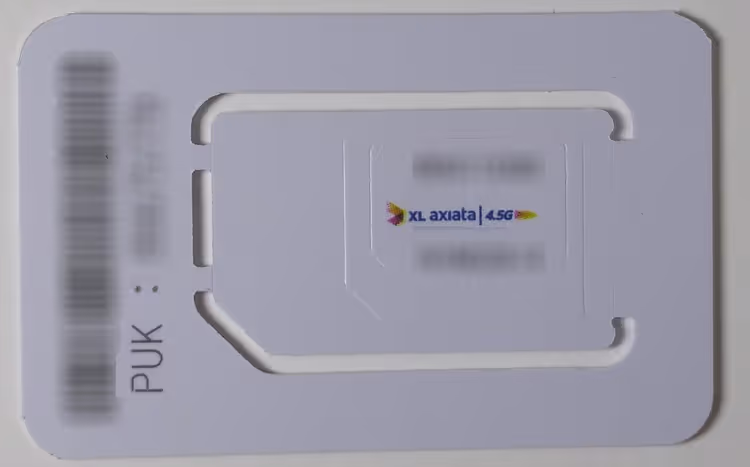
Check the SIM format: nano-SIM, micro-SIM or standard. Stores have cutters for the right size, but it's more reliable to get a card in the correct format from the start and avoid cutting the chip.
For eSIM, check that your phone model is compatible. On very old phones, the eSIM profile will not install; the operator publishes a list of supported devices (as of 09/2026, operator eSIM support).
Which operator to choose
The choice depends on your route. Telkomsel has the largest coverage across the country, including remote islands. XL Axiata works well on Java, Bali, and Lombok and is often cheaper.
Telkomsel has known eSIM issues: some users report being blocked after one to two weeks instead of the paid month (eSIM issues explained).
Besides Telkomsel and XL, Indosat (IM3 brand), Tri, and Smartfren also operate in the country. Their coverage is weaker in places and they have fewer tourist SIMs, but their packages are cheaper (as of 08.09.2026, IM3 rates).
Before buying, check the coverage map against your route. If you are going to Flores, Sulawesi, or Papua, it is safer to choose Telkomsel (as of 09/2026, operator coverage map). You can compare Telkomsel and XL eSIM plans through an eSIM provider.
 © H982Falklands · CC BY-SAPhoto: H982Falklands, CC BY-SA (https://creativecommons.org/licenses/by-sa/4.0), Wikimedia Commons
Can you order a SIM card in advance from Europe
Yes, you can get an eSIM online in a few minutes, and it activates right after you land. Some providers give you an Indonesian number, some do not: if you need a number for local services, check this before paying.
 © Thank You (25 Millions ) views from Fresno, USA · CC BYPhoto: Thank You (25 Millions ) views from Fresno, USA, CC BY (https://creativecommons.org/licenses/by/2.0), Wikimedia Commons
The profile arrives by email as a QR code. Installation takes a couple of minutes in your phone settings, no physical card needed. Save the activation code: you will need it if you move the eSIM to a new phone.
You can also order a physical SIM from Europe, but delivery takes days. An eSIM is more convenient for a short trip: you can set it up right before departure.
Where to buy a SIM card in Indonesia
Cards are sold almost everywhere: at the airport, in shopping malls, and at small street kiosks. You can spot sellers by the bright posters with carrier logos and prices displayed prominently.
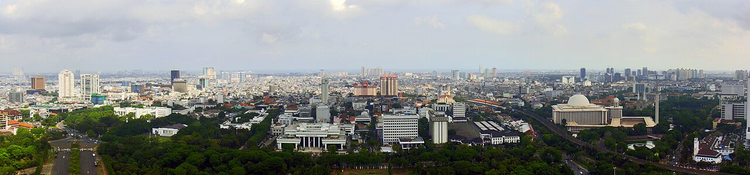 © musnahterinjak · CC BY-SAPhoto: musnahterinjak, CC BY-SA (https://creativecommons.org/licenses/by-sa/3.0), Wikimedia Commons
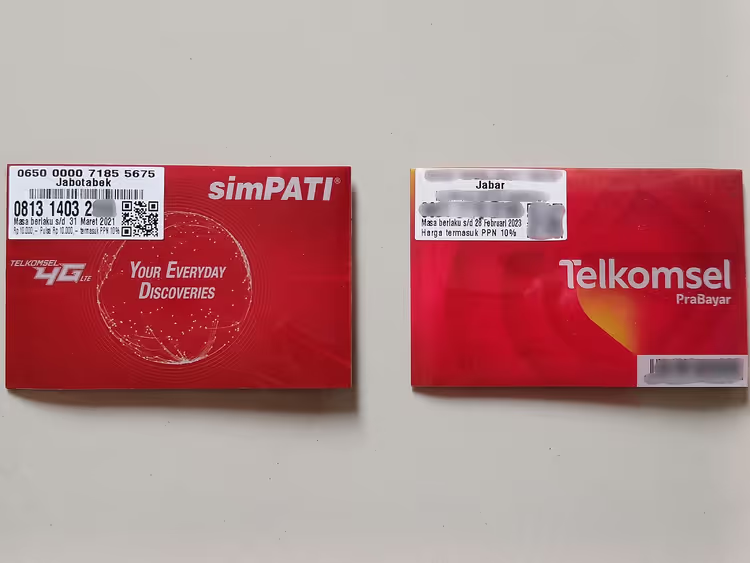
The most expensive place is the arrivals hall. Telkomsel's tourist starter pack with 25 GB costs 150,000 IDR directly from the carrier (as of 09/2026, carrier FAQ), while at Denpasar airport counters they ask several times more for the same data allowance.
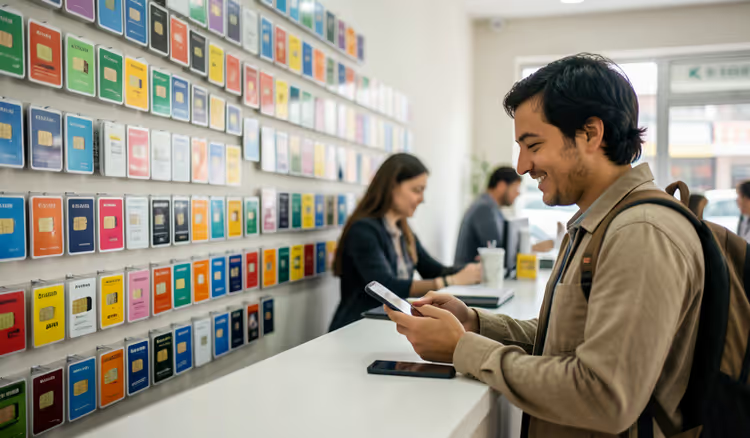 AIIllustrative image: AI-generated
Get a minimal package at the airport just to get to your hotel, then visit a carrier store in the city the next day. In the city, the same card with a package costs noticeably less, and the store will tell you the exact price.
At official Telkomsel, XL, and Indosat stores, staff speak English and register the card using your passport. Small vendors often register the card under their own name to avoid paperwork: the internet works, but the number doesn't belong to you.
At an official location, they'll show you available numbers and help you pick a package that fits your route.
You usually choose a number from a list: you can take a memorable one or the first available. The price doesn't change based on your choice.
An eSIM costs slightly more than a physical card, but you don't need to visit a store. The profile arrives by email before your flight, and you activate it yourself. For a short trip, this saves time.
Buying a card from a random seller on the beach isn't worth it if you want to use the internet all month. Recovering a number from such a card when something goes wrong is harder.
Another option: order an eSIM before your trip and skip the counters entirely. Then the internet works right after you land (as of 09/2026, rate comparison). You can get an eSIM for Indonesia online in advance.
How SIM cards are registered and set up
Since March 1, 2018, SIM cards in Indonesia are registered officially, and for foreigners the document is a passport. Starting in 2026, biometrics were added: facial recognition during activation and a maximum of three numbers per passport with one carrier (as of 09/2026, registration rules).
Register the card on the spot and check the internet right away. If something doesn't work, the seller will fix it in a couple of minutes, whereas from your hotel you'd have to go back to the store.
Check three things: the internet opens, calls go through, and the balance shows up in the carrier's app. If you need internet on a laptop, turn on the hotspot in your phone settings.
Balance check codes depend on the carrier: Telkomsel uses *808#, Indosat *363#, XL *123#. You dial the command like a regular number and wait for the response on screen (as of 09/2026, Telkomsel help page).
Where to top up your balance
You top up your balance (pulsa) in the same places where cards are sold: at kiosks, from sellers with a PULSA or JUAL PULSA sign, and at Indomaret and Alfamart supermarkets. Topping up only requires a phone number, so you can add credit for a friend, and they can do the same for you.
The second way is the carrier's app: you pick a package and pay by card. For foreign cards, the range of payment methods is often limited (as of 09/2026, overview of rates and payment).
When topping up, you have two options: buy a package right away or add regular balance and choose a package later. The menu is in Indonesian but simple: it shows your remaining balance and the list of available packages.
If you don't want to deal with the menu, ask the seller to activate the package for you. At small kiosks this is common practice and takes a minute.
You can transfer data allowance and balance to another number. Look for transfer codes in the carrier's app: they vary and change, and commands from old articles often no longer work.
With eSIM providers, top-ups are done through the website or support. Online payment is convenient because you don't need to hunt for a kiosk in an unfamiliar city (as of 09/2026, eSIM provider rates).
If you have Gojek installed and a Gopay balance, top-ups often work right in the app. This is a convenient route when you already use local services.
After topping up, check your remaining balance: the carrier's command shows your balance and active packages. That way you'll notice right away if the money went to a different plan.
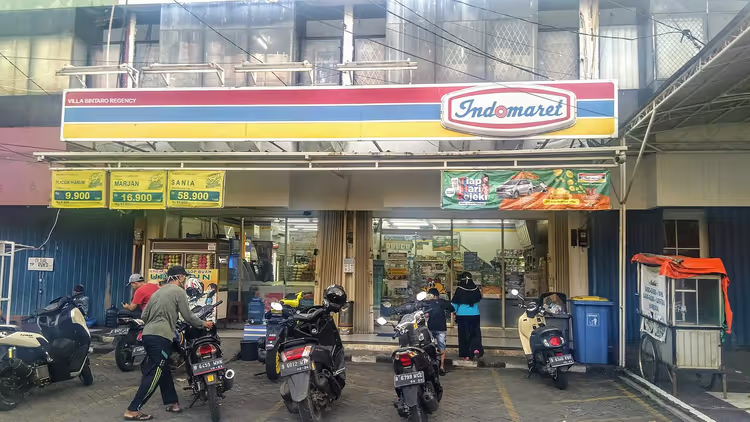 © VulcanSphere · CC BYPhoto: VulcanSphere, CC BY (https://creativecommons.org/licenses/by/4.0), Wikimedia Commons
How to call home cheaply
The cheapest way to call is over the internet: WhatsApp, Skype, or another messenger. That way you pay only for data, not for international minutes.
Direct international calls from an Indonesian SIM are expensive. Operators have prefixes to lower the price: Telkomsel uses 01017, XL uses 01000, Indosat uses 01016. Rates change, so check the price in your operator's app (as of 09/2026, operator call rates).
Incoming calls to an Indonesian number are free for you, and domestic calls cost pennies. Drivers and hotels usually message on WhatsApp, so you rarely need call minutes.
Data packages and hotspot mode
Example of a combined package: Telkomsel Combo Sakti bundles dozens of gigabytes, hundreds of minutes, and SMS for 30 days in one plan, and the operator shows the price in the app and at the store (operator website, as of 09/2026).
In pricier packages, a separate quota is allocated for WhatsApp and social media. This quota only works inside those apps, while regular browsing draws from the main data allowance.
The package terms are written in fine print on a poster or in the app. Network and regional restrictions are listed there, and they're worth reading before you pay.
Many of these packages only work on LTE (4G) networks. In an area without LTE coverage, the package won't help, so check the network map before buying.
Tethering doesn't work with every plan. Many eSIM plans block hotspot mode, and if you need internet on a laptop, get a physical SIM or a package that allows tethering (as of 09/2026, plan terms).
Hotspot mode burns through data faster than a phone: a laptop syncs files and downloads updates in the background. For working from a hotel, get a package with extra data.
You can test tethering in a couple of minutes: turn on the hotspot and open any page on your laptop. If the page doesn't load while the phone has internet, the provider is blocking tethering.
Until your package is activated, turn off mobile data. Your phone downloads updates in the background and drains your balance within hours. Only turn on data after activating the package.
Alternative: a mobile LTE router
Instead of using your phone as a hotspot, you can get a mobile LTE router. It works with its own SIM card, is managed through an app, and often delivers a more stable signal in remote areas.
A router costs noticeably more than a SIM card, but it gives internet to all your devices at once. You can buy one at electronics stores in major cities. Before buying, check that the model supports local operators' frequency bands.
Why you need a VPN in Indonesia
A VPN encrypts your traffic and hides your location. Some services and websites are unavailable in Indonesia, and with a VPN you can open them just like at home.
The second benefit: on open hotel and cafe networks, your data is protected. Install a VPN on your phone and laptop before the trip, not at the airport after you land.
What to do with your home SIM card
Put your home SIM card somewhere safe: it is often linked to your banking app, SMS codes, and account logins. Losing the card causes more problems than losing the phone itself.
Before you fly, turn off data roaming on your home SIM. That way you will not get billed for megabytes your phone downloads in the background.
Receiving SMS while roaming is usually free, but it depends on your plan. Check this before the trip: bank codes often arrive on your home number.
Keep a separate SIM card holder in your carry-on, not in your checked bag. That way the card will not get lost when you repack your bags on the road.
If your phone supports two SIM cards, keep both active: one for banking and SMS, the other for local data. Dual-SIM models are now common and reasonably priced.
With a single SIM slot you have fewer options: you can keep the card in an old phone or in a SIM card case. A separate multi-card holder is useful if you change countries often.
With eSIM this problem does not exist: there is no physical card to remove, and the eSIM profile is activated in the phone settings. Once the Indonesian eSIM is active, you receive messages and calls on both numbers.
⁉️🤔 Frequently asked questions
Do I need to register my phone for a tourist SIM card?
No. Tourist SIM cards and eSIMs do not require IMEI registration at customs, and the network works for the entire validity period of the plan. Registration is required if you buy a regular local SIM card or stay in the country longer than 90 days (as of 09/2026, IMEI rules for tourists).
How much does mobile internet in Indonesia cost?
Tourist packages are the cheapest option: a starter package with 25 GB costs 150,000 IDR directly from the carrier (as of 09/2026, Telkomsel FAQ).
Can I buy a SIM card at Denpasar airport?
Yes, there are counters right after passport control, and they will set up the card with your passport in a few minutes. The catch is the price: at the counter the package costs more than in the city. Get the smallest package and top up your data in the city.
What should I do if my eSIM stops working in the middle of the trip?
Some Telkomsel eSIM users report being blocked after one or two weeks. Phone registration is not required for eSIM; it applies to regular local SIM cards (as of 09/2026, the 90-day rule). Check your balance and access point settings. If the internet does not come back, buy a local SIM card at a carrier store and register your phone.
Do I need a VPN when traveling in Indonesia?
A VPN is useful if you need open hotel and cafe networks or services that are unavailable in Indonesia. It is better to open banking apps through a VPN. A VPN has little effect on local mobile internet speed if you choose a nearby server.
Is one SIM card enough for a two-week trip?
A 25 GB tourist package is usually enough for two weeks if you do not tether your laptop to it. For navigation, messaging, and ordering taxis, this amount is sufficient (as of 08.09.2026, Telkomsel rates). If you work online heavily, get a 60 GB package.
In short: what to book
- Trip up to three months and you need internet right after landing: get an eSIM.
- You need an Indonesian number for local apps and delivery: get a physical Tourist SIM from Telkomsel or XL Axiata.
- You need internet on your laptop: choose a plan that allows tethering.
- Trip longer than three months: register your phone at customs and get any local SIM card.
If you want to get online right after you land, set up an eSIM in advance: get an eSIM for Indonesia.

A small editorial team writing guides for independent travel. We travel ourselves, but we haven’t been everywhere, so we check prices, opening hours and how to get there against official sources.